Introduction
5G on iPhone is no longer a headline; it is the new baseline. In Malaysia, coverage has expanded rapidly under Digital Nasional Berhad’s (DNB) network, and all major carriers now offer 5G plans. Yet a practical question remains for many buyers and upgraders: which iPhone support 5G, how fast can it go locally, and how should one configure the phone for the best balance of speed and battery life? This guide, updated for 2025, walks through compatible models, realistic speeds, settings, and plans—crafted for a mobile-first experience in Malaysia.
Which iPhone models support 5G?
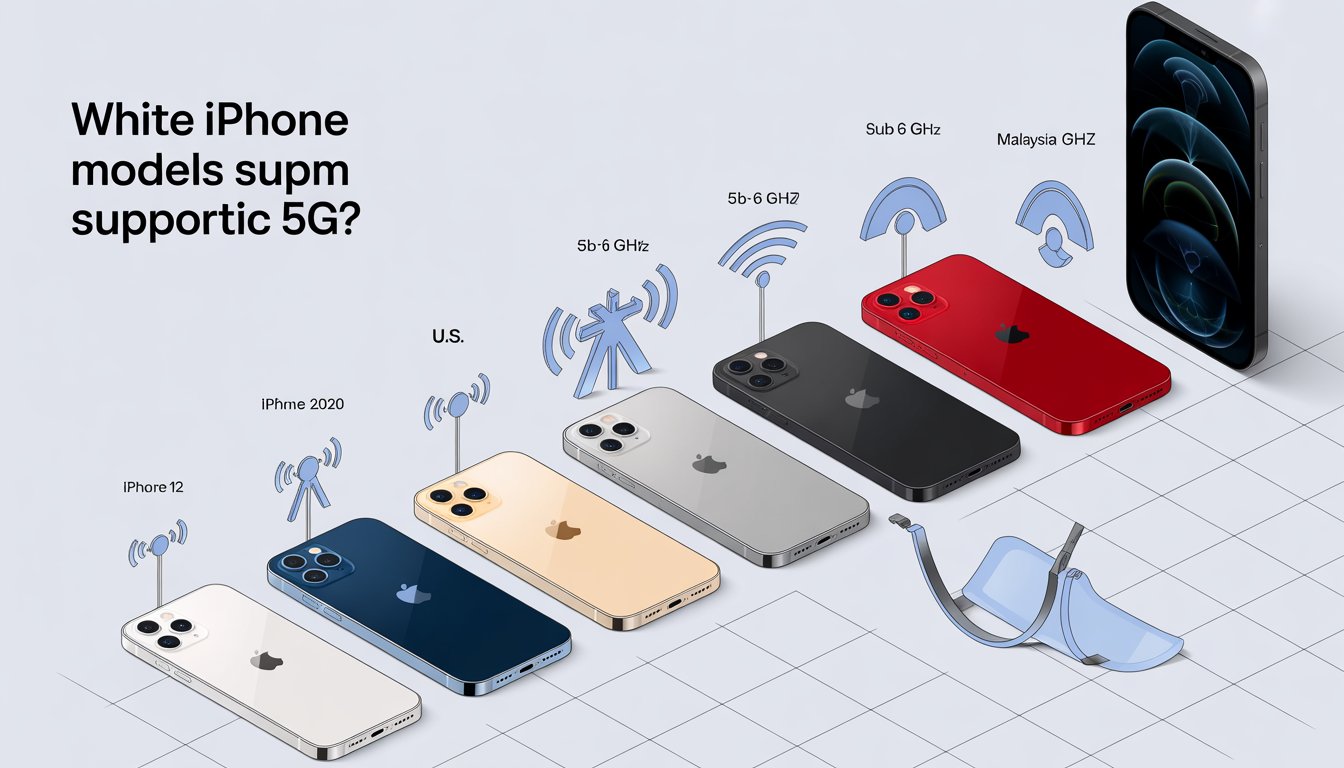
Apple’s 5G era began in 2020 with the iPhone 12 series and continues across every mainstream model since. While U.S. variants often include mmWave antennas, Malaysian models use sub‑6 GHz bands, which are ideal for broad coverage and strong indoor performance. The good news: even without mmWave, users in Malaysia typically see dramatic speed and latency improvements over 4G—especially in dense urban areas where mid-band 5G is widely deployed. This section breaks down the specific models that offer 5G compatibility, helping you identify the right device for your needs in Malaysia’s evolving network landscape.
List of 5G-capable iPhones
Every iPhone from the iPhone 12 family onward supports 5G. This includes the iPhone 12, 13, 14, 15, and 16 series, plus the iPhone SE (3rd generation). International models sold in Malaysia focus on sub‑6 GHz bands; if a device is imported, features like mmWave may depend on the originating region and local band support. For buyers comparing second-hand or import units, it is wise to confirm the model number and supported bands before purchasing. Many retail units here are tuned for local sub‑6 GHz networks and will connect seamlessly to the DNB-built infrastructure used by Malaysian carriers. If in doubt, checking the exact model identifier and band list prevents disappointment.
iPhone 12 series (all models)
The iPhone 12 mini, iPhone 12, iPhone 12 Pro, and iPhone 12 Pro Max introduced 5G to Apple’s lineup. They use Qualcomm’s X55 modem, which delivered strong sub‑6 performance and support for Dynamic Spectrum Sharing where carriers deploy it. In Malaysia, these models connect to mid-band 5G where available and fall back to 4G or 4G+ in non-5G areas, assisted by Apple’s Smart Data Mode to manage battery use. Users will notice faster app downloads and snappier cloud sync, especially in city centers. While older now, the 12 series still provides a capable 5G experience for everyday tasks, streaming, and hotspot sharing. Battery life is respectable when 5G Auto is enabled, as the phone intelligently switches to LTE when high speed isn’t needed. Additionally, these devices remain popular in the resale market due to their reliability and continued software support from Apple.
iPhone 13 series (all models)
The iPhone 13 mini, iPhone 13, iPhone 13 Pro, and iPhone 13 Pro Max moved to Qualcomm’s X60 modem. In practice, this improved efficiency and carrier aggregation, helping the phones hold stronger 5G connections while sipping less power. Malaysian users typically see steadier mid-band performance and slightly better battery life versus the 12 series. With iOS optimizations, 13-series iPhones balance performance and thermals well under sustained 5G use. For those considering a used device, the 13 Pro Max still offers excellent longevity and consistent 5G throughput. Even the compact 13 mini remains a nimble 5G performer if size and weight are top priorities. Overall, the series represents a solid step up in 5G maturity for everyday Malaysian users.
iPhone 14 and iPhone 14 Plus
The iPhone 14 and 14 Plus extend 5G with refinements around safety features and endurance. They maintain robust sub‑6 support that aligns well with Malaysia’s network design, ensuring quick app updates and confident video streaming in covered areas. Battery performance on the Plus model is notably strong for all-day 5G use. These models support features like Emergency SOS via satellite in certain regions, though availability varies by market and carrier policy. For local users, the 14 line offers a stable 5G experience without the premium price of Pro-tier hardware. They remain a sensible choice for those prioritizing reliable connectivity and big-screen value. Many users appreciate the improved crash detection and camera enhancements that complement fast 5G connectivity.
iPhone 14 Pro and iPhone 14 Pro Max
With the 14 Pro series, Apple paired high-end displays and cameras with a more capable Snapdragon X65 modem. This translates to improved peak throughput and sticky connectivity, particularly in congested cells. In Malaysia, where mid-band is prevalent, users can expect fewer drop-offs and smoother handovers between 5G and LTE. For power users—content creators, mobile gamers, or those tethering laptops—the 14 Pro line’s 5G stability can be a daily advantage. The phones also prepare nicely for evolving network features that carriers may enable over time. Given price drops since launch, they remain a compelling premium option. The dynamic island feature adds to the seamless user experience when switching between apps over high-speed connections.
iPhone 15 and iPhone 15 Plus
The iPhone 15 and 15 Plus step up to the Snapdragon X70 modem, which adds smarter signal management and better power efficiency. In Malaysian conditions, that often shows up as consistent 5G speeds with fewer battery penalties on commutes or in malls. USB‑C is standard here, making them convenient for modern accessories and faster wired tethering. These models handle live video, cloud gaming, and large app downloads gracefully over 5G. As networks expand, the X70’s advanced features help sustain performance in fringe areas. For many buyers, the 15 pair is a sweet spot of price, battery stamina, and 5G quality. The improved camera system further enhances content creation on the go with quick uploads.
iPhone 15 Pro and iPhone 15 Pro Max
The 15 Pro series also uses the X70 but couples it with faster processors and Wi‑Fi 6E for flexible high-speed connectivity. In practice, owners experience excellent 5G throughput and snappy switching between cellular and Wi‑Fi in crowded environments. Thermal management is solid under sustained data loads, such as uploading large ProRes clips or syncing photo libraries. Malaysia’s sub‑6 deployment suits these devices well, and many users report reliably high 5G bursts for productivity on the go. If longevity and peak performance matter, the 15 Pro models still look very current in 2025. They are strong choices for those who want top-tier 5G without moving to the newest generation. The titanium build adds durability for users in varied environments.
iPhone SE (3rd Generation)
Released in 2022, the iPhone SE (3rd Gen) brings 5G to Apple’s most affordable form factor. It supports sub‑6 5G but omits mmWave, which aligns with Malaysia’s network makeup anyway. For many, it is a budget-friendly way to enjoy brisk downloads and clearer video calls without the size or cost of flagship models. Battery life is decent when Smart Data Mode is used, and iOS updates keep the phone current on network features. While the single-camera setup is modest, overall responsiveness on 5G feels modern. It remains a practical entry point into Apple’s 5G ecosystem. Students and light users often find it perfectly suited for daily tasks like social media and navigation.
iPhone 16 series (anticipated for 2024)
Launched in late 2024, the iPhone 16 family continues full 5G support and leverages an even more efficient modem (widely expected to be Qualcomm’s X75). In Malaysia, users primarily benefit from better energy performance, faster carrier aggregation, and steadier mid-band throughput. The series also positions the hardware for 5G-Advanced features as carriers evolve their infrastructure. Those prioritizing future-proofing will appreciate the 16 series’ network headroom. It handles demanding use cases—AR apps, high-bitrate streaming, and tethering—without dramatic battery trade-offs. For buyers in 2025, the 16 series is a confident long-term pick. New AI features integrate seamlessly with high-speed connections for enhanced user experiences.
What maximum speeds do the different iPhones support?
Maximum speed is a dance between the modem inside the iPhone, the bands your carrier uses, network congestion, and whether your area is served by mid-band or low-band 5G. In Malaysia, mid-band sub‑6 typically delivers hundreds of Mbps in real life, while low-band prioritizes coverage over raw speed. iPhones from the 12 series onward have progressively better modems that sustain higher peaks and more stable averages. Exploring these factors and comparing models will help you understand what to expect from 5G performance in everyday Malaysian scenarios.
Factors affecting 5G speeds
Distance to the cell and obstacles matter: concrete walls, lifts, and basement car parks can blunt 5G signals. Time of day and congestion are equally important; rush-hour cells may slow down even with strong signal bars. Carrier configuration—like how much mid-band spectrum is dedicated to 5G in your area—also sets the ceiling for real-world performance. Device settings influence results. If 5G Auto is enabled, iPhone may prefer LTE when background tasks are running to save battery. Switching to 5G On forces 5G when available and can bump speeds at the cost of battery life. Lastly, data mode settings like “Allow More Data on 5G” enable higher-quality video and FaceTime at the expense of data and power. Understanding these elements allows users to optimize their setup for better outcomes.
Comparison of speeds across models
As Apple moved from X55 to X60, X65, X70, and beyond, peak and sustained rates improved alongside efficiency. In Malaysia’s sub‑6 landscape, users often see 200–800 Mbps with good mid-band coverage, while rural low-band may land near 50–200 Mbps. The newest modems are especially good at hanging on to higher speeds as conditions fluctuate. For example, the iPhone 12 with Snapdragon X55 typically achieves 100–500 Mbps, marking it as solid but less efficient. The iPhone 13’s X60 brings better aggregation, pushing typical speeds to 150–600 Mbps with improved battery life. Models like the iPhone 14 and 14 Pro use X65 for stronger performance at 200–700 Mbps, while the 15 series with X70 reaches 250–800 Mbps efficiently. The iPhone 16 series, expected with X75, could see 300–900 Mbps, preparing for advanced features. These figures are typical observations, not guarantees. Peak bursts can exceed the ranges above in ideal mid-band cells, while indoor or congested scenarios may trail. The key improvement year-to-year is less about absolute peaks and more about holding higher averages with less battery drain.
5G Coverage Checker
Before troubleshooting speeds, confirm that 5G actually reaches your building and the places where you use your phone most. In Malaysia, coverage has expanded quickly in urban and suburban areas, with highways and town centers prioritized. Rural zones may still rely on 4G most of the time, gradually seeing 5G infill as rollout continues. This section provides practical ways to verify and compare coverage, ensuring you get the most from your 5G iPhone in Malaysia.
How to check 5G coverage in your area
Start locally: ask neighbors or colleagues on the same carrier about their experience, and test at different times of day. Most carriers publish coverage maps and allow address searches; while these are indicative, they help set expectations. On the iPhone itself, watch the status bar for the 5G icon and compare speed tests in different rooms to spot weak indoor spots. If your SIM is older, request a SIM swap to ensure full 5G compatibility; some carriers require newer SIMs for access. Also, check your plan—certain entry plans cap speed or do not include 5G by default. Finally, verify that 5G is enabled in Settings and that the phone is running the latest iOS carrier settings. Regular checks can help you anticipate performance in your daily routines.
Comparing top 5G networks
Malaysia’s 5G is largely delivered via DNB’s wholesale network, so raw coverage between brands is often similar in a given location. Differences show up in plan features, prioritization, and data caps. Maxis, CelcomDigi, U Mobile, and Yes all offer 5G plans; Yes has historically leaned into aggressive pricing, while the others bundle 5G into broader postpaid ecosystems with device offers. Urban users typically see the best performance regardless of carrier, though peak-hour behavior can vary based on how each operator manages capacity. If performance is inconsistent, try testing a friend’s SIM from a different carrier in your phone to compare. Porting is straightforward in Malaysia, so choosing the network that performs best in your daily routes is sensible. Evaluating these options ensures you select a carrier that aligns with your usage patterns.
Why did Apple take so long to launch a 5G iPhone?
Apple waited until 2020 to introduce 5G, despite earlier Android launches. The company tends to adopt new radios when it can guarantee broad coverage, stable power consumption, and mature modem integration. That approach meant its first 5G phones arrived later but with a focus on balanced performance and battery life. Delving into the historical and strategic reasons provides context for Apple’s deliberate pace in embracing 5G technology.
Historical context and development timeline
Early 5G rollouts were fragmented, with limited coverage and power-hungry first-gen modems. Apple’s entry with the iPhone 12 coincided with broader mid-band deployments worldwide and more efficient silicon. As networks scaled, subsequent iPhones capitalized on improved aggregation, carrier features, and software tuning. The global chip supply landscape also influenced timing. Apple leaned on proven Qualcomm modems while pursuing its own modem ambitions behind the scenes. The result was a steady yearly cadence of better radios rather than a rushed debut. This timeline reflects Apple’s commitment to user experience over being first to market.
Key factors in Apple’s 5G adoption
Battery life and thermal stability are central to the iPhone experience, and early 5G hardware made both difficult. Apple also required solid roaming and band support to maintain consistency across markets. When those pieces aligned, it activated 5G with software features like Smart Data Mode to smooth the transition. Another factor was ecosystem readiness. Services like Apple TV+, Fitness+, and iCloud Drive benefit from 5G only when networks and devices are both in sync. By 2020 and beyond, that synergy was more achievable globally. These considerations ensured a polished 5G implementation for users worldwide, including in Malaysia.
What other 5G phones are there?
If iOS is not essential, Android offers a wide array of 5G options at many price points. Flagships push the envelope on cameras and charging speeds, while mid-range models deliver excellent value. In Malaysia, several brands officially sell devices optimized for local 5G bands. This overview highlights popular alternatives and their standout features for those considering options beyond Apple.
Popular Android alternatives
Samsung’s Galaxy S24 series, S23 FE, and midrange A-series are popular and widely available. Xiaomi’s 14 series and Redmi Note lines provide strong hardware-to-price ratios with competitive cameras. OPPO’s Find and Reno lines, vivo’s X and V series, OnePlus 12/12R, and Nothing Phone (2/2a) also deliver capable 5G experiences. For photography enthusiasts, Google’s Pixel 8 family is notable, though official Malaysian availability is limited; parallel imports exist with varying warranty terms. Shoppers should confirm band compatibility and after-sales support when buying imported models. Across brands, look for mid-band support and recent modems for the best local performance. These options cater to a range of budgets and preferences in Malaysia’s market.
Key features of non-Apple 5G devices
High refresh-rate displays, large batteries, and fast charging are common differentiators in Android ecosystems. Many devices support Wi‑Fi 6/6E and advanced 5G carrier aggregation for stable speeds. Software update policies matter too—choose brands with clear multi-year OS and security commitments. Thermal design influences sustained 5G speed, particularly during gaming and hotspot use. Cameras leveraging AI and larger sensors often upload and process data faster over 5G, improving cloud-backed workflows. Storage speed (UFS 3.1/4.0) also complements 5G by accelerating app installs and file sync. Overall, these features make Android devices versatile for high-speed mobile lifestyles.
Should I buy a 5G iPhone?
For most Malaysians in 2025, a 5G iPhone is a safe investment. Coverage is strong in cities and growing elsewhere, plans are reasonably priced, and the performance-over-battery balance has matured. The decision hinges more on budget, camera needs, and desired lifespan than on 5G readiness. Assessing your specific needs will guide whether now is the right time to upgrade to a 5G-capable model.
Assessing your needs for 5G
If you stream in 4K, work from the cloud, or tether a laptop, 5G’s lower latency and higher throughput pay off immediately. Daily commuters in Klang Valley and other urban centers will likely benefit the most. If you live in a rural area still dominated by 4G, the 5G advantage will grow over time but may not be dramatic today. Consider device longevity. Even if 5G isn’t vital right now, buying a 5G-capable iPhone ensures future-proofing for several iOS cycles. Paired with a plan that includes 5G, you will be ready as coverage deepens. Reflecting on your daily data habits helps make an informed choice.
Pros and cons of upgrading now
Pros include faster downloads, crisper calls on modern networks, and better hotspot speeds for hybrid work. Newer modems are also kinder to battery life than earlier generations. Cons include higher handset costs and the possibility that your home area still relies on 4G much of the time. Weigh trade-ins and refurbished options; a 13 Pro or 14 can be cost-effective while delivering very capable 5G. If you need the longest runway, the 15 or 16 series offers the best network headroom. Ultimately, base the decision on where you use your phone and the data tasks you rely on daily. Balancing these factors ensures a worthwhile investment.
5G Explained
5G spans multiple frequency layers. Low-band (e.g., 700–900 MHz) travels far and penetrates buildings well, but offers modest speed gains. Mid-band (e.g., 3.5 GHz) balances coverage and capacity, delivering the headline improvements most Malaysians see today. This explanation covers the basics of 5G technology and how to optimize it on your iPhone for optimal performance.
Understanding 5G technology basics
Compared with 4G, 5G uses wider channels and more advanced antenna techniques, allowing higher throughput and lower latency. The network can also slice resources for specific tasks, such as prioritizing voice or enterprise traffic. In everyday terms, that means smoother video, faster backups, and less waiting for large files. Malaysia’s rollout emphasizes mid-band, which is why many experience big speed jumps in cities and town centers. As networks upgrade, features like 5G-Advanced will further enhance capacity and efficiency. iPhones from the 12 series onward are well suited to ride this evolution. Grasping these fundamentals helps users appreciate the technology’s impact on daily mobile use.
Voice and data settings on iPhone
On iPhone, go to Settings > Cellular > Voice & Data. You will see options like 5G Auto, 5G On, and LTE. 5G Auto uses 5G when it can provide a better experience without unnecessary battery drain, while 5G On forces 5G whenever it is available. Ensure VoLTE is enabled for clearer calls and faster call setup; many carriers require it for 5G data during voice use. Some carriers also support 5G Standalone (SA) modes; when enabled by your operator, iPhone will adopt SA where appropriate. Keep iOS and carrier settings updated to unlock the latest network features. These settings empower users to tailor their connectivity effectively.
Data mode options and optimization
Under Settings > Cellular > Cellular Data Options > Data Mode, three choices usually appear. Allow More Data on 5G bumps video and FaceTime quality and permits higher background data use. Standard balances quality and data consumption, while Low Data Mode reduces background activity to save data and power. For all-day battery life, pair 5G Auto with Standard mode. When speed is critical—say, uploading a large video—temporarily switch to 5G On and Allow More Data on 5G. Remember to toggle back to conserve energy once the task is done. Optimizing these modes ensures a balanced and efficient 5G experience.
5G Pros & Cons
Like any network transition, 5G brings benefits and trade-offs. In Malaysia’s mid-band-first environment, most users see meaningful improvements without needing exotic hardware. Understanding the strengths and limitations helps set realistic expectations. This section outlines the key advantages and potential downsides to inform your 5G journey.
Advantages of 5G connectivity
5G significantly reduces latency, making cloud apps feel more responsive and video calls more lifelike. Peak speeds often rival home broadband in strong cells, which is excellent for tethering and on-the-go work. Network capacity improvements also mean fewer slowdowns in crowded venues compared with 4G. As carriers optimize, everyday experiences—maps, streaming, backups—get consistently smoother. Combined with iPhone’s Smart Data Mode, users enjoy these benefits without constantly micromanaging settings. For businesses, 5G can enable reliable field workflows and faster uploads from remote teams. These perks make 5G a transformative upgrade for many users.
Potential drawbacks and limitations
Coverage still varies, particularly indoors or outside major towns. Battery drain can rise when forcing 5G On or in fringe areas where the phone must work harder to hold signal. Some plans cap speeds or tethering, which can blunt the headline benefits. Additionally, mmWave is not deployed for consumer use in Malaysia, so ultra-gigabit marketing from other countries does not translate one-to-one here. Real-world gains are still substantial, but context matters. Choosing the right plan and settings mitigates most issues. Awareness of these limitations helps users navigate them effectively.
How to Control 5G Settings on Your iPhone
Tuning a few settings can resolve most performance hiccups and extend battery life. The goal is to align the phone’s behavior with where and how it is used each day. The steps below reflect a practical, mobile-first setup for Malaysian networks. Mastering these controls allows for a customized and efficient 5G experience.
Step-by-step guide to 5G options
Open Settings > Cellular > Voice & Data, then select 5G Auto to let the phone choose the best balance. If you require maximum performance for a task, switch to 5G On temporarily. Next, visit Cellular Data Options > Data Mode and choose Standard for daily use. Enable VoLTE for better call quality and concurrent data use during calls. If your carrier supports 5G SA and it is available to your line, it will be handled automatically after updates. Finally, restart the phone after major carrier setting updates to ensure clean registration on the network. Following these steps ensures optimal setup for your device.
Customizing for battery and performance
Commuters who move through patchy zones should keep 5G Auto enabled to avoid unnecessary drain. When stationary with strong signal—like in the office—using 5G On for large transfers can save time. If battery is running low and you cannot charge, temporarily switch to LTE and Low Data Mode to stretch uptime. Background-heavy apps such as cloud photo backup or large messaging archives can be scheduled for home Wi‑Fi. For hotspot use, prefer USB‑C tethering on newer iPhones to improve stability and power draw. Periodically review which apps consume the most data to fine-tune your setup. This customization enhances both performance and efficiency.
Best 5G Phone Plans
Plan value changes often, but a few patterns hold steady in Malaysia. Entry-to-mid postpaid tiers from major carriers generally include 5G access, while some budget offerings cap speeds or hotspot allowances. Balance your typical monthly data use against price and hotspot needs rather than chasing the absolute cheapest option. Comparing options helps find the best fit for your 5G iPhone usage.
Top plans for 5G iPhones
As a guide, mainstream 5G postpaid plans typically sit around RM60–RM120 per month, with higher tiers offering larger hotspot quotas and bundled entertainment. Yes 5G frequently promotes aggressive unlimited-style plans at lower price points, appealing to heavy streamers. Maxis, CelcomDigi, and U Mobile often bundle device offers, making total cost of ownership attractive if upgrading your handset. For families, shared or supplemental lines can lower per-line cost while keeping 5G access. If you travel, check roaming rates and whether 5G roaming is supported at your destinations. Always validate the latest terms at sign-up—especially fair usage thresholds for hotspot and “unlimited” data. These plans cater to diverse user needs in Malaysia.
Comparing carriers and features
Performance differences are often most visible during peak times. If you routinely see slowdowns, try short-term tests with prepaid SIMs from another carrier before committing. Consider add-ons too: premium VoLTE/VoWiFi calling, priority data, or entertainment bundles can justify a slightly higher fee if you use them. For students or remote workers, hotspot quotas matter. A plan with 5G access but limited hotspot can be frustrating during outages or travel. Weigh not just headline speed, but the full package of allowances and coverage on your daily routes. This comparison ensures you select a plan that maximizes value.
Related Articles
Readers exploring 5G on iPhone often want adjacent how-to guides. Topics like battery optimization, iCloud backups over cellular, and hotspot best practices pair well with this guide. Accessory choices—USB‑C cables, MagSafe batteries, and 5G-friendly cases—also make a noticeable difference day to day. Discovering these resources can enhance your overall iPhone and 5G experience.
Explore more on iPhone features
Deep dives into iOS cellular settings help demystify VoLTE, Wi‑Fi Calling, and carrier updates. Camera workflow guides show how 5G accelerates backing up photos and videos to the cloud. Productivity walkthroughs cover tethering setups for stable Zoom calls and large file transfers. These explorations provide practical insights for maximizing your device’s capabilities. Many users find value in learning about advanced features that integrate with 5G. Continuing to educate yourself on these topics keeps your setup optimized.
Quick links to guides
Look for step-by-step tutorials on managing Data Mode, creating Shortcuts that toggle 5G settings, and reading signal metrics. Practical tips for testing coverage—such as repeating speed tests at the same times daily—help build a realistic picture. Troubleshooting checklists simplify what to try before contacting your carrier. These resources offer quick, actionable advice for common issues. Accessing them can resolve problems efficiently. They are designed to be user-friendly and mobile-accessible.
Related products and accessories
USB‑C to USB‑C cables rated for higher data rates improve tethering stability. Compact power banks with pass-through charging keep long 5G sessions going. Lightweight, signal-friendly cases avoid unnecessary attenuation in weaker indoor areas. These accessories enhance the practicality of 5G use. Many are affordable and widely available in Malaysia. Investing in them can significantly improve your daily experience.